Extract Email Data to Google Sheets
Search. Define. Export.
Search your Gmail, define the fields you need, and export clean, structured data directly into Google Sheets — with templates and automation included.
10k
emails/day
Gmail → Sheets
Works inside Google Sheets and extracts emails directly into your sheet. Templates and automation included.
Features
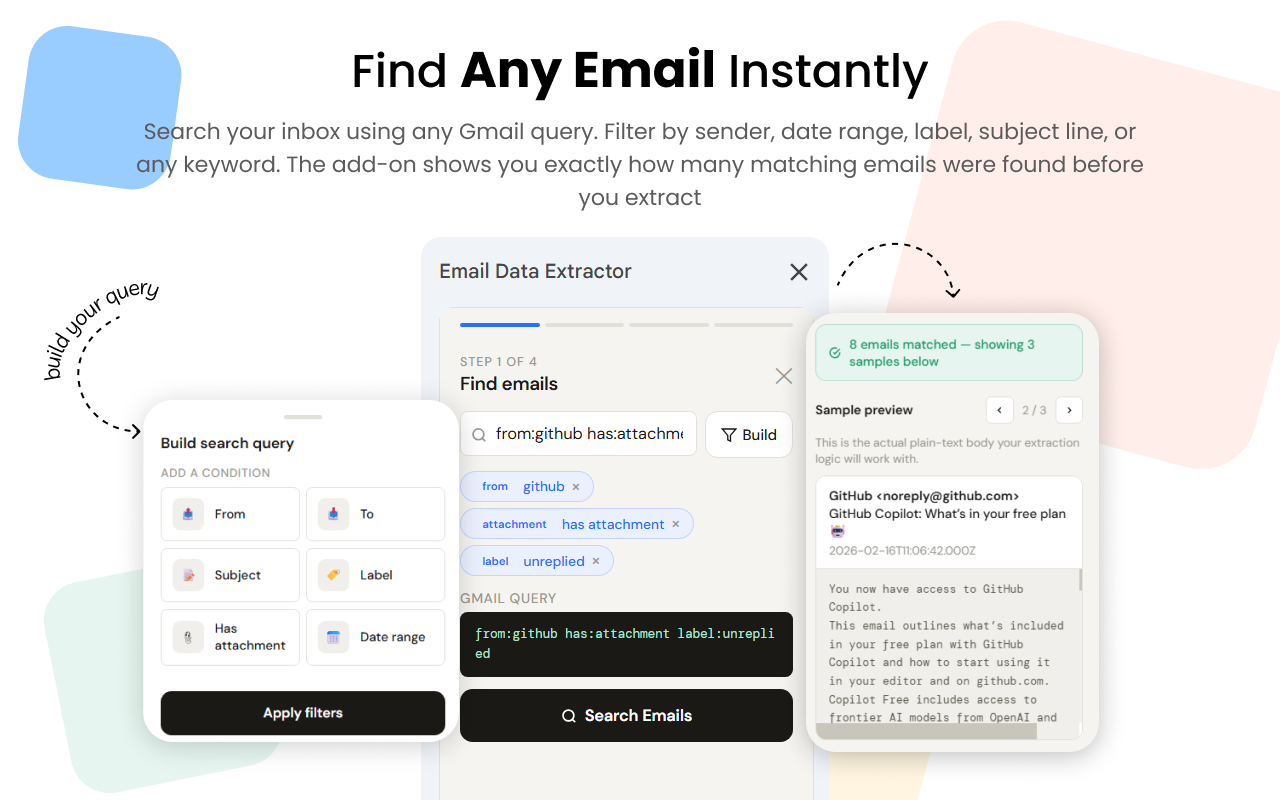

Smart Email Search
Use any Gmail search query or visual filters — sender, date range, labels, subjects, or keywords — and preview how many emails match before you extract.
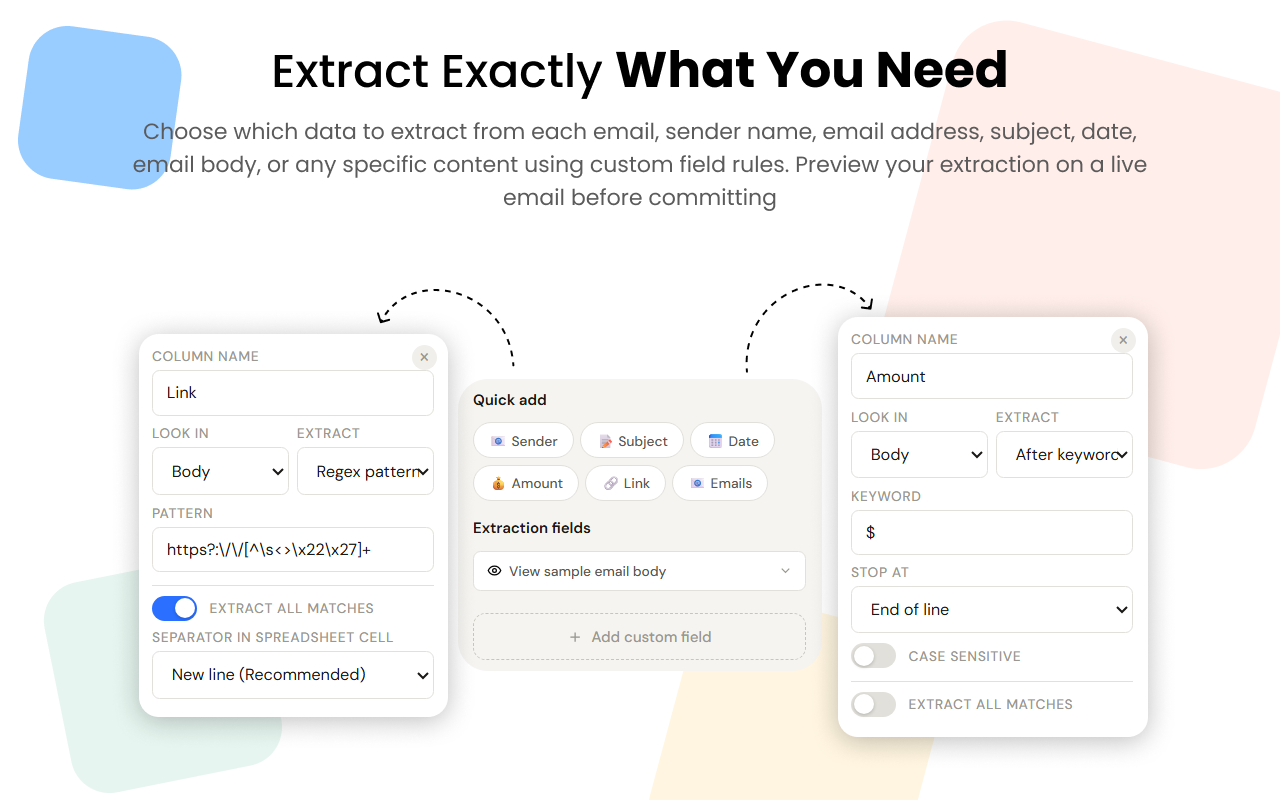
Custom Field Extraction
Define which fields to extract — sender name, email, subject, date, body snippets, or custom patterns — and preview results on a real email.
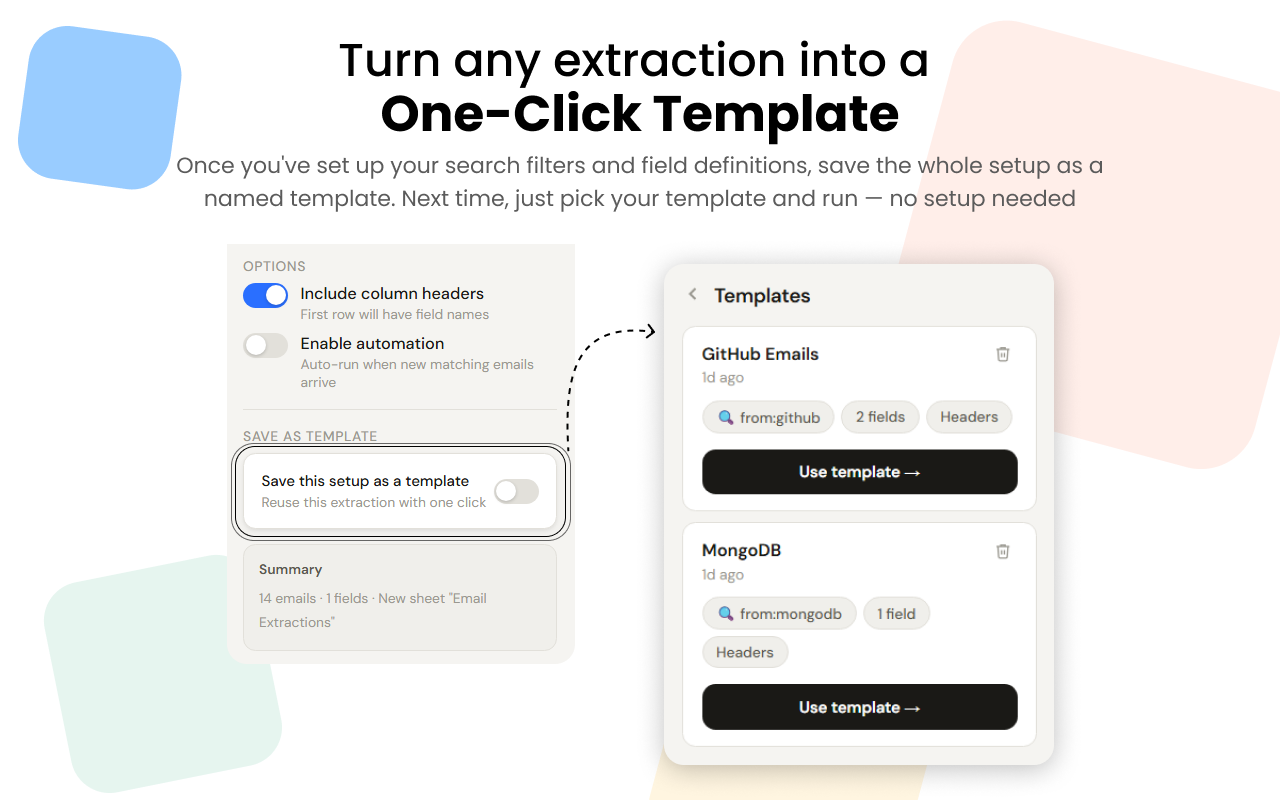
Reusable Templates
Save extraction setups as named templates and rerun them with one click — perfect for recurring workflows and repeatable reports.
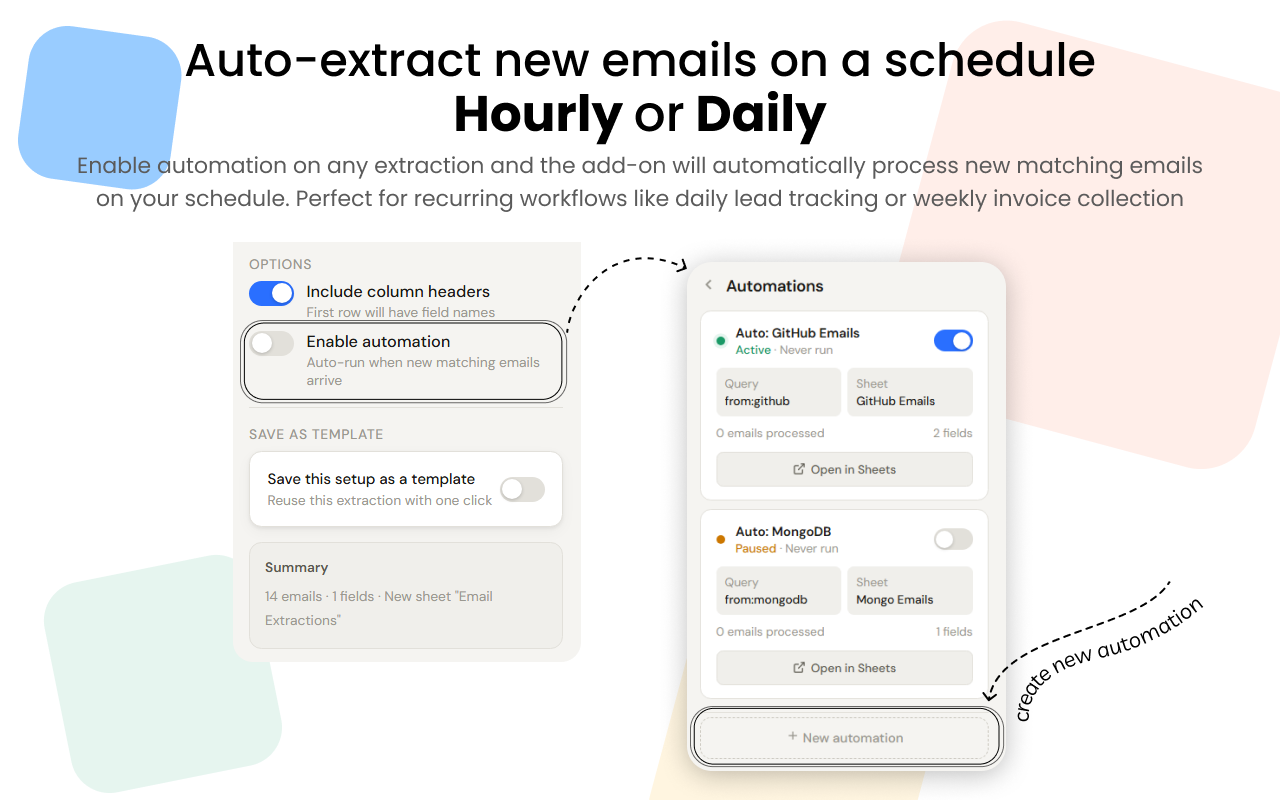
Automation
Enable scheduled extractions (hourly or daily) so new matching emails are processed automatically and results are appended to your sheet.
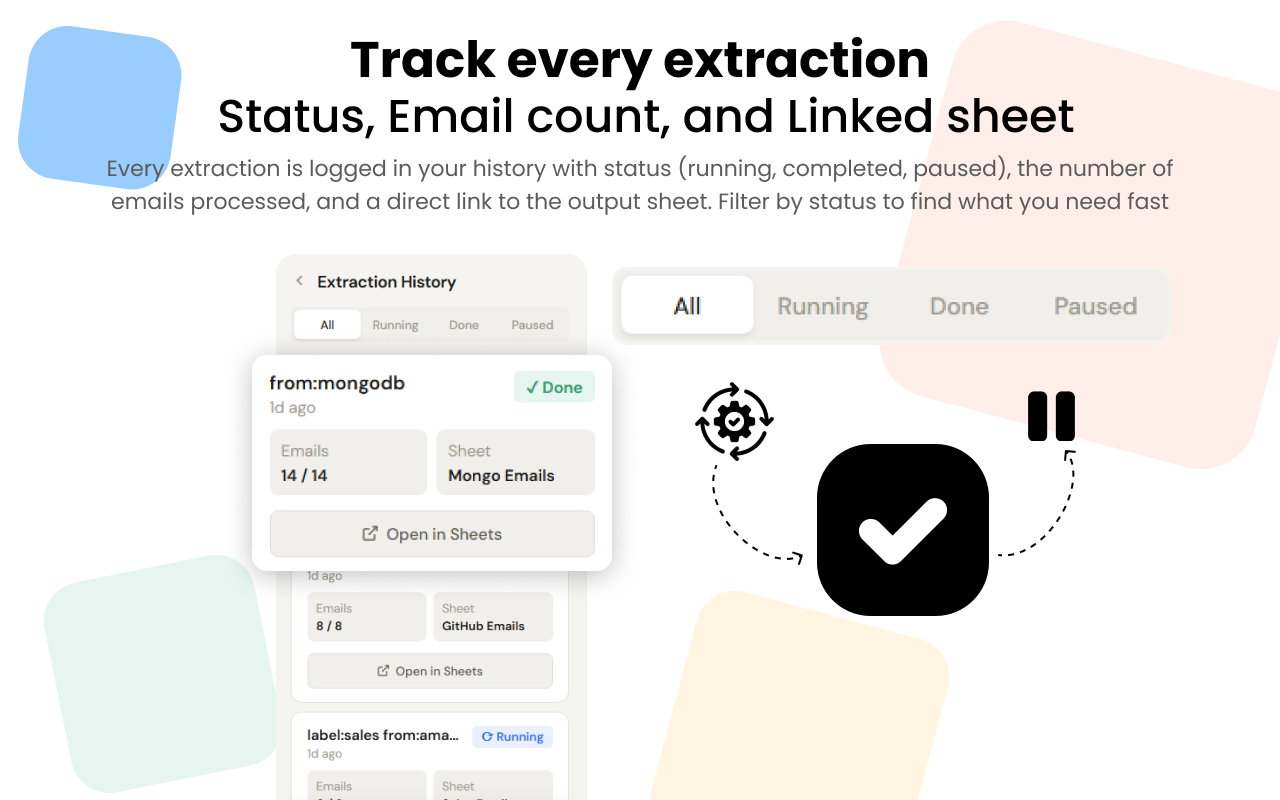
Extraction History
Every extraction run is logged with status, processed counts, and direct links to the output sheet so you always have full visibility.
Export to Google Sheets
Export extracted data directly into a new or existing Google Sheet. Column headers are added automatically and data lands where you need it.
Choose your plan
Choose the plan that works best for you

Free
Perfect for getting started
- 50 emails/day
- Advanced parsing
- No automation
- No templates
Starter
Ideal for individuals and small teams
- 500 emails/day
- Templates support
- Basic automation (daily)
- Advanced parsing
- Email support
Pro
Best for growing businesses
- 5,000 emails/day
- Templates support
- Full automation (hourly)
- Advanced parsing
- Priority support
Scale
For high-volume enterprises
- 10,000+ emails/day
- Templates support
- Full automation (hourly)
- Advanced parsing
- Dedicated support

Why we're best?
Save time, improve accuracy, and keep your presentations secure. Experience the easiest way to go global.
Fast & Efficient
Extract structured email data in seconds, not hours.
Flexible
Define custom fields, save templates, and preview extractions before export.
Secure
Least-privilege access — only process the emails and sheets you authorize.
Frequently Asked Questions
Find answers to the most common questions below.